Boost Support with chatbot for zendesk: A Quick Guide
Discover how to choose, set up, and optimize chatbot for zendesk; practical steps to boost support efficiency and customer satisfaction.Ever had one of those days where your support team is buried under a mountain of the same three questions asked over and over again? Imagine having a digital teammate who works 24/7, clearing that backlog without ever needing a coffee break. That's exactly what a chatbot for Zendesk does.
These aren't just clunky, automated responders. A good chatbot plugs right into your Zendesk workspace, acting as your first line of defense for customer queries. It provides immediate support and, more importantly, lets your human agents focus on the tricky stuff that actually requires a human touch.
Your New Frontline Support Specialist
Think of a Zendesk chatbot as the most efficient receptionist you've ever hired. It's trained to handle the flood of predictable, high-volume questions—the "Where's my order?" or "How do I reset my password?" queries that eat up so much time.
This isn't about replacing people; it's about making their jobs better. When a customer lands on your site with a simple question, the bot jumps in, pulls the right info, and provides a quick, clear answer. Customers get the instant gratification they want, and you're able to offer 24/7 support without tripling your headcount. The bot essentially acts as a smart filter, resolving the easy stuff on its own.
What It Really Means for Your Team
The real value here is what happens behind the curtain. By taking all those routine tasks off your agents' plates, the chatbot gives them room to breathe. They can stop copy-pasting tracking links and start digging into the complex, sensitive issues that demand real empathy and creative problem-solving.
This shift in focus pays off in several big ways:
- Happier Agents: Automating the boring stuff helps prevent burnout and keeps your team focused on more meaningful work.
- Lightning-Fast Responses: Simple questions get answered in seconds, which is a huge win for customer satisfaction.
- Handle More with Less: You can manage sudden spikes in support tickets without scrambling to hire new agents.
- Smoother Handoffs: If a conversation needs to be escalated, the human agent gets the full chat history. No more making customers repeat themselves.
A chatbot for Zendesk is more than just an automation gimmick—it’s a force multiplier. It lets a lean team deliver exceptional support, making sure every customer gets the right help, right when they need it.
Ultimately, adding a chatbot is about making your entire support operation smarter. It helps you build a more responsive, efficient, and resilient team that can actually keep up with what modern customers expect.
Comparing Your Zendesk Chatbot Options
Choosing the right chatbot for your Zendesk setup isn't a one-size-fits-all decision. It's really about matching the tool to your team's specific goals and your customers' needs. The options generally fall into a few key categories, and knowing the difference is the first step toward making a smart choice.
Think of it this way: you could start with something simple and built-in, or you could opt for a more powerful, specialized tool. Let's break down what that looks like in practice.
Native Zendesk Bots
Zendesk offers its own bots, and their biggest selling point is how deeply they’re woven into the platform. Getting started is a breeze. They can instantly tap into your existing knowledge base to field common questions, which is a fantastic way to dip your toes into automation.
This seamless, out-of-the-box integration is perfect for small teams just getting started. It helps cut down on those repetitive "how-to" and "where-is" tickets right away. The catch? If you're aiming for more complex, multi-step conversations or need to connect with tools outside the Zendesk ecosystem, you might find the native options a bit limiting down the road.
The infographic below paints a clear picture of the core benefits any good chatbot brings to the table.
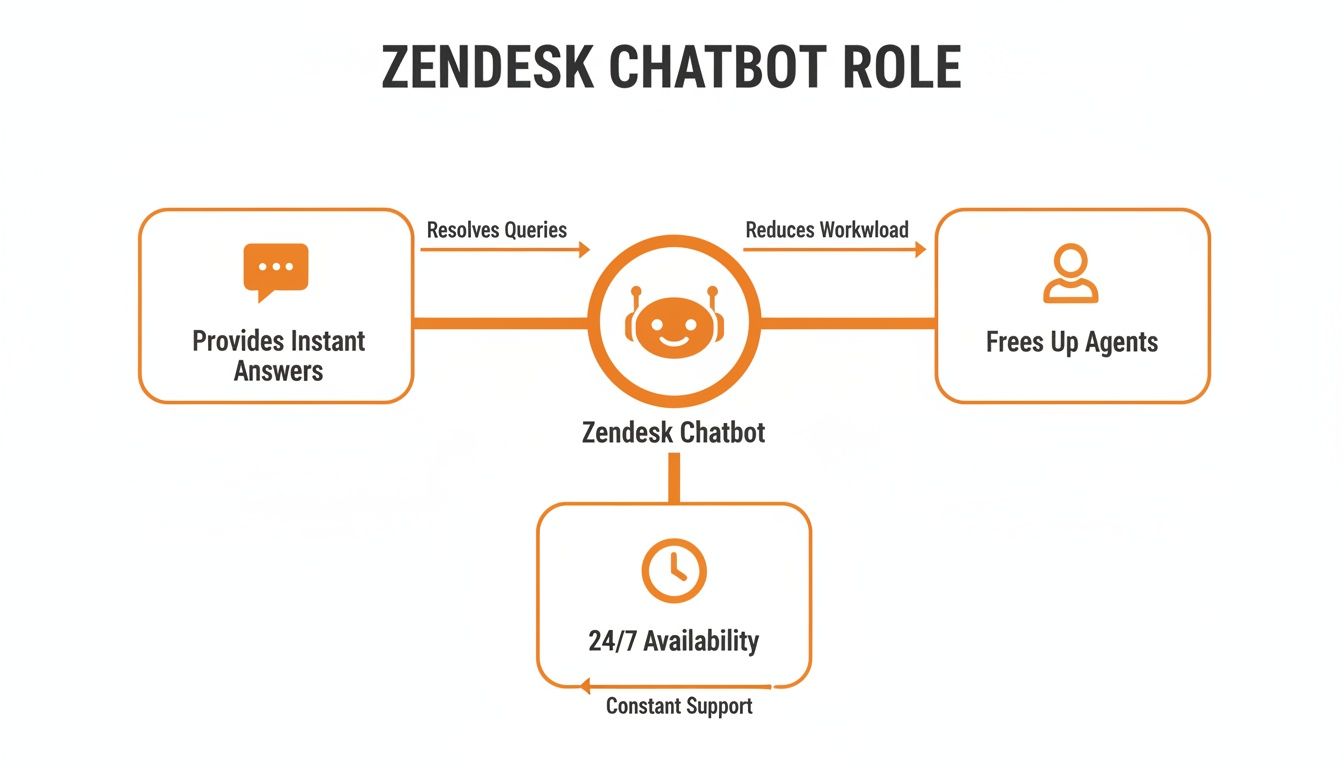
As you can see, a well-implemented bot acts as a force multiplier, handling the frontline work so your human agents can focus on what they do best.
Advanced Third-Party AI Chatbots
For businesses ready to take a bigger leap, third-party AI chatbots offer a whole new level of intelligence and flexibility. Tools like CallCow are built from the ground up with advanced conversational AI. This means they don't just follow a script; they understand context, handle nuanced questions, and can even perform actions like scheduling a demo or processing a return.
It's clear why 54% of support teams are now using chatbots, especially in markets like the United States, which accounts for 36.56% of Zendesk's web traffic. You can explore more fascinating Zendesk usage statistics to see the trend.
These specialized bots bring some serious advantages:
- Greater Customization: You can design detailed, branching conversation flows that map perfectly to your unique customer journey.
- Broader Integrations: They connect easily with your entire tech stack—CRMs, e-commerce platforms, and other essential business systems.
- Multilingual Support: Effortlessly serve a global audience by communicating naturally in multiple languages.
The Rise of AI Voice Agents
The next frontier in support automation is voice. AI voice agents take the power of conversational AI and apply it to your phone lines. Imagine having a virtual agent ready to answer inbound calls 24/7, qualify new leads, book appointments, and handle routine inquiries over the phone.
This means you literally never miss a customer call. It’s about creating a complete, automated safety net that covers all your primary communication channels, not just text-based chat.
Chatbot Integration Approaches for Zendesk
To help you see the differences side-by-side, here’s a quick comparison of the three main approaches. This table should make it easier to pinpoint which solution aligns best with your team's current needs and future ambitions.
| Feature | Zendesk Native Bot | Third-Party AI Chatbot (e.g., CallCow) | AI Voice Agent |
|---|---|---|---|
| Primary Use Case | Basic FAQ automation & ticket deflection | Complex, multi-step conversations & task automation | 24/7 phone support, call routing & lead qualification |
| Setup Complexity | Very Low - built directly into Zendesk | Low to Medium - guided setup and integration | Medium - requires phone system integration |
| Customization | Limited - primarily uses existing knowledge base | High - fully customizable conversational flows | High - custom call scripts and voice options |
| Integrations | Primarily within the Zendesk ecosystem | Extensive - connects to CRMs, APIs, etc. | Connects to CRMs and scheduling tools |
| Channel Coverage | Web chat & messaging | Web chat, social media, messaging apps | Voice calls (phone lines) |
| Best For | Teams new to automation needing a simple solution | Businesses needing advanced, scalable automation | Companies with high call volume seeking 24/7 coverage |
Ultimately, the best choice hinges on where you are now and where you want to go. A native bot is a safe and effective starting point, but a third-party AI solution—whether for chat or voice—unlocks a much higher ceiling for what you can achieve with automation.
How to Choose the Right Chatbot for Your Business
Picking the right chatbot for Zendesk isn't about finding some mythical "best" tool. It’s about finding the right fit for what you’re trying to accomplish. Think of it like hiring a new team member. You’d look at their skills, see how they’d mesh with your current team, and figure out if they have room to grow with the company.
What works for a booming e-commerce shop probably won’t be the perfect fit for a B2B SaaS company. That’s why the first step is always to define what success actually looks like for you. Are you trying to slash your ticket volume? Get that first-response time down? Maybe you just want to see your customer satisfaction (CSAT) scores climb.
Your main goal dictates everything. If your top priority is deflecting tickets, you'll want a bot that's brilliant at digging through your knowledge base to find answers instantly.
Core Evaluation Criteria
Once you know what you’re aiming for, you can start digging into different chatbot options. You need to look past the flashy marketing and focus on a few key things that separate a simple Q&A bot from a genuinely smart automation partner. Don't just scan a feature list; get on a call and ask vendors some tough questions about how their tech works in the real world.
Here are the big things to focus on:
- Zendesk Integration Depth: How deep does the connection go? A great chatbot should do more than just pass a message along. It needs to create, update, and close tickets right inside Zendesk, handing off the full conversation context to a human agent so no one has to ask, "So, what can I help you with?"
- Customization and Control: Can you actually make the bot sound like you? You need a tool with a visual builder that lets your team map out conversation flows that match your brand’s voice and your customer's journey, all without calling a developer.
- Scalability: Will this bot keep up as you grow? Think about its ability to handle more conversations, add more languages, and connect with the other tools you rely on. You don't want to outgrow it in six months.
- Reporting and Analytics: How do you know if it's working? The platform must give you clear data on the important stuff—resolution rates, conversation volume, and what customers are asking about most—so you can keep making it smarter.
Choosing a chatbot isn't just a technical decision—it's a strategic one. The right tool should feel like a natural extension of your team, automating tasks in a way that aligns perfectly with your brand and enhances the customer experience.
A Quick Selection Checklist
Feeling overwhelmed? It’s easy to get lost in the options. A simple checklist can help you cut through the noise and make a confident choice. Before you sign anything, run your top candidates through these final questions.
- AI Technology: Is it powered by modern conversational AI that actually understands intent and context, or is it just a glorified decision tree following rigid rules?
- Ease of Use: Can your support leads and other non-technical folks easily build, tweak, and manage the bot's conversations?
- Pricing Structure: Is the pricing straightforward and based on value? Watch out for confusing models with hidden fees that end up punishing you for being successful.
- Support and Onboarding: What kind of help do they offer to get you up and running? A good partner will be there to help you optimize the bot long after the initial setup.
By thinking through these points, you can make a choice you feel good about—one that turns your chatbot into a valuable asset instead of just another piece of software to manage.
Putting Your Chatbot to Work: A Practical Checklist
A great chatbot doesn't just appear overnight; it's the product of a solid plan. Getting from "we need a bot" to "our bot is live and helping customers" requires a clear, step-by-step approach. This checklist will walk you through the process, making sure your chatbot for Zendesk is set up for success from the very beginning.
Think of it like building a house. You wouldn't just start throwing up walls without a blueprint. In the same way, you need a clear strategy before your bot has its first conversation. The end goal is to create an experience that feels smooth and helpful for your customers and your support team.
Phase 1: Laying the Groundwork
Before you even think about writing a single line of dialogue, you need to know what you're aiming for. What's the number one goal for this chatbot? Are you trying to cut down on support tickets, get answers to customers faster, or offer help after business hours? Get specific.
Next, it's time to do a little digging. Jump into your Zendesk analytics and find the top 5-10 questions that customers ask over and over again. These are your quick wins—the repetitive, simple queries that are perfect for automation. Tackling these first gives you an immediate impact.
Finally, decide on your chatbot's personality. Is it going to be fun and casual, or more formal and to-the-point? Giving your bot a consistent voice makes it feel like a genuine part of your team, not just a cold, robotic script.
This isn't just a nice-to-have. According to Zendesk, 72% of CX leaders agree that chatbots should be a smart extension of the brand's personality, which builds trust and makes for a better customer journey.
Phase 2: Building and Training Your Bot
With your plan in place, it's time to start building. The first, and most important, step is to connect your chatbot to your Zendesk knowledge base. This gives it instant access to all your help articles, allowing it to answer questions accurately right out of the box.
Now, start mapping out the conversation flows for those common questions you found earlier. Think through the conversation step-by-step. A simple flow for an "order status" query might go something like this:
- Greeting: The bot says hello and asks what the customer needs.
- Understanding the Request: It figures out the user is asking about their order.
- Gathering Info: The bot asks for the order number.
- Providing the Answer: It looks up the status in your system and gives the customer a tracking link.
One of the most critical parts of this phase is creating a smooth handoff process. When the bot gets stuck, it needs a clean way to pass the conversation—and all the context—to a human agent in Zendesk. This simple step prevents a lot of customer frustration and makes sure tricky issues get handled by a person.
Phase 3: Launch and Learn
Your chatbot is built, but you're not done yet. Don't just flip the switch for everyone at once. Start with a smaller, phased rollout. You could test it on a single, less-visited page or only turn it on for a few hours a day. This lets you see how it performs in the real world and iron out any kinks before the full launch.
Make sure your support agents know how the bot works, especially how they'll receive chats that get escalated to them. They're a key part of the process.
Finally, keep a close eye on your analytics. Watch metrics like your ticket deflection rate and customer satisfaction scores. This data will tell you what's working and show you where you can make your bot even better over time.
Alright, you’ve launched your new chatbot. Now for the big question: is it actually working?
Putting a new tool in place is one thing, but proving its worth is another. To measure the success of your chatbot for Zendesk, you need to look past basic stats like how many chats it had. The real proof is in the key performance indicators (KPIs) that connect directly to business goals and show a clear return on your investment.
Think of these metrics as a health check for your support team. They show you what’s getting better, what needs a tune-up, and how much progress you’ve made. This data is exactly what you need to justify the bot and fine-tune its performance over time.
Key Metrics to Track in Zendesk
The best way to see how your chatbot is doing is to focus on metrics that prove it can solve problems on its own and make your team more efficient. These KPIs are the ground truth for understanding how the bot impacts both your customers and your bottom line.
Here’s where you should start:
- Ticket Deflection Rate: This is the big one. It’s the percentage of customer questions the bot handles completely, without ever needing to loop in a human agent. A high deflection rate is a sure sign your bot is successfully fielding all those common, repetitive queries.
- First-Contact Resolution (FCR): This tells you how many problems get solved in the very first interaction with the chatbot. A solid FCR means customers get their answers fast, with no need for back-and-forth or escalations.
- Average Handle Time (AHT) Reduction: For the tickets that do need a human touch, see how the bot helps. By gathering all the basic info upfront, the bot tees up the conversation so agents can jump in and solve the problem much faster.
Focusing on Customer Satisfaction
Operational efficiency is great, but at the end of the day, it's all about keeping customers happy. A great chatbot should enhance the customer experience, not get in the way of it. That’s where Customer Satisfaction (CSAT) scores come in. After a chat, simply ask customers to rate the experience.
If your CSAT scores start trending up after you introduce the bot, you’re on the right track. It’s a powerful sign of success. In fact, chatbots are making a huge difference here, with 87% of businesses reporting measurable improvements in CSAT. This helps explain why 51% of people actually prefer a bot for quick help instead of waiting for a person. You can dig deeper into these fascinating AI customer service statistics to see how they're reshaping support.
By keeping an eye on both efficiency and satisfaction metrics, you get the full story of your chatbot's impact. This data doesn't just prove the tool's value; it gives you a clear roadmap for making it even better.
Practical Chatbot Workflows for Common Industries
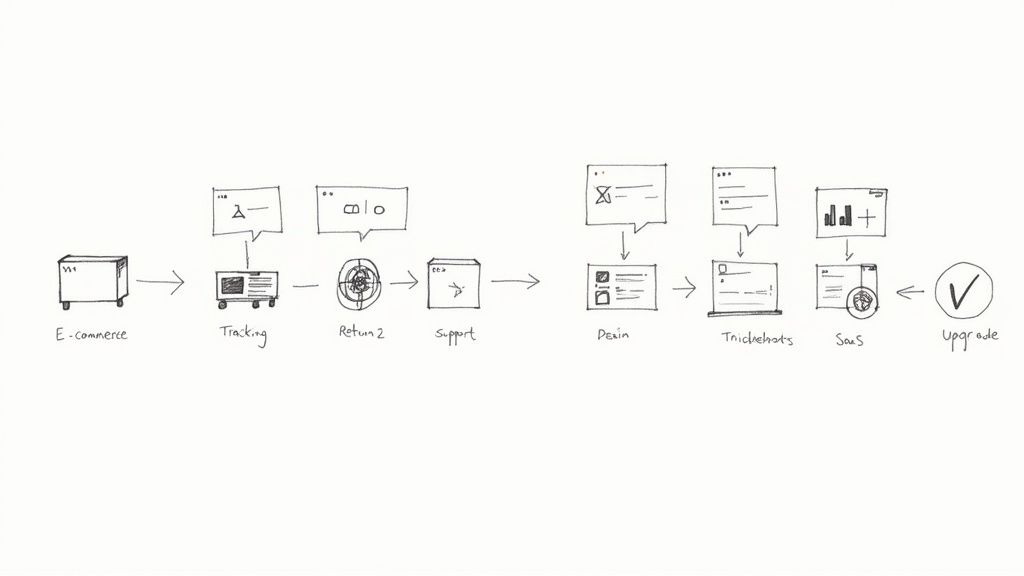
It's one thing to talk about chatbots in theory, but seeing them in action is where the value really clicks. Different businesses use a chatbot for Zendesk to solve their own unique challenges, taking abstract ideas and turning them into real-world automation that saves serious time and makes customers happier.
Let's walk through a few common scenarios. Think of these as a starting point—a blueprint for how you can put a bot to work in your own company, no matter what you sell.
E-commerce Order Management
If you run an online store, you know the drill. The most common questions are always about orders. A smart chatbot can handle these queries from start to finish, giving customers instant answers 24/7 without ever needing to bother a live agent. This single piece of automation can deflect a huge number of support tickets.
Here’s how a typical conversation might go:
- Initiation: A customer opens the chat and types, "Where is my package?"
- Data Collection: The bot politely asks for their order number or email address to look up the details.
- System Integration: It then securely pings your order management system to find the latest tracking info.
- Resolution: The bot instantly replies with a direct tracking link and the estimated delivery date.
- Next Steps: Before closing, it might ask, "Is there anything else I can help with today, like starting a return?"
SaaS User Onboarding and Support
In the software world, chatbots are like friendly co-pilots. They can help with everything from onboarding new users and troubleshooting glitches to managing subscriptions, freeing up your human experts to tackle the really tough technical questions. It’s all about empowering users to help themselves first.
A smart chatbot flow doesn't just solve the immediate problem; it anticipates what the user might ask next. That kind of proactive support really makes you stand out.
Here’s what a common SaaS workflow could look like:
- Troubleshooting: The bot walks a user through fixing a common bug by pulling steps directly from your Zendesk knowledge base articles.
- Feature Guidance: It can provide a quick tutorial on how to use a new feature the customer is trying for the first time.
- Subscription Management: When a user wants to upgrade their plan, the bot can gather the necessary info and automatically create a ticket in Zendesk for your billing team to complete the change.
Answering Your Top Zendesk Chatbot Questions
Even with the best plan in place, a few questions always pop up before bringing a new tool on board. Let's walk through some of the most common concerns we hear from teams just like yours. Getting these answers sorted out is the final step to moving forward with confidence.
Just How "Techie" Do I Need to Be?
This is probably the number one question, and the answer is usually a relief: not very. Modern chatbots are built for customer service pros, not developers. If you've ever used a drag-and-drop tool to create a simple flowchart or presentation, you've got the skills you need.
Most platforms use visual builders where you can map out conversations without touching a single line of code. The whole point is to let your support experts—the people who know your customers best—build and manage the bot.
What Happens When a Customer Has a Really Tricky Problem?
It’s a common myth that bots are only good for answering basic FAQs. While they’re great at that, a truly smart chatbot understands its own limitations. Its goal isn't to solve every single problem on its own.
Instead, a well-designed bot acts as an expert triage agent. It gathers all the important details from the customer—who they are, what they need, what they've already tried—and then hands the conversation off to the right human agent seamlessly.
Think of the bot as a brilliant assistant for your team. It handles the repetitive front-end work so that when a human agent steps in, they have a complete picture and can solve the complex issue right away.
How Does the Bot Actually Know What to Say?
This is where the magic happens. A good AI chatbot plugs directly into your existing Zendesk knowledge base. From the moment you turn it on, it can read, understand, and use your help articles to give customers instant, accurate answers.
And it's not a one-time thing. The bot continuously learns. Every time you update an article or add a new one, the bot gets smarter in real-time. This turns all that great content you've already created into a 24/7 automated support machine.
Ready to see how an AI-powered agent can completely change your call handling and customer support? CallCow offers a human-sounding, 24/7 voice agent that integrates seamlessly with your workflows. Explore how CallCow works and see it in action.