Explore how patient appointment scheduling software boosts clinic efficiency
Discover how patient appointment scheduling software improves clinic flow with AI, smoother EHR integration, and higher patient satisfaction.Patient appointment scheduling software acts like an always-on virtual receptionist, handling bookings, reminders, and availability checks around the clock. It replaces juggling phone calls and paper planners, cutting no-shows and staff stress from day one.
Quick Overview Of Patient Appointment Scheduling Software
Imagine a front desk that never sleeps, guiding patients straight to the right time slot. With a unified calendar view, clinics see every provider’s schedule and open windows at a glance.
- Real-Time Slot Visibility prevents double-booking and confusion.
- Automated SMS and Email Reminders shrink the no-show rate.
- Two-Way Self-Service lets patients book or reschedule instantly.
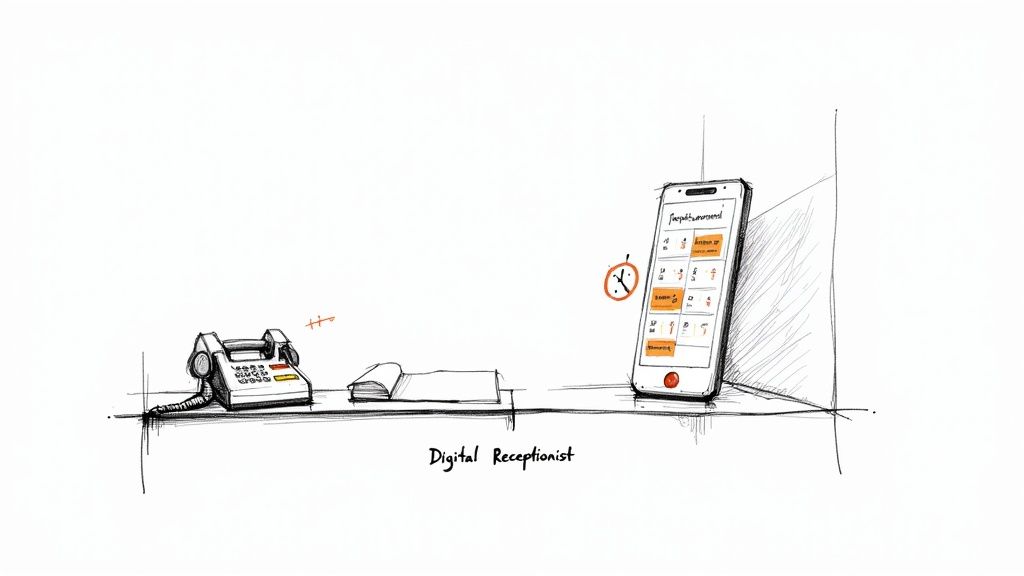
By shifting routine booking tasks to a smart assistant, staff can focus on patient care instead of phone trees. That simple change drives efficiency and a better patient experience.
Key Benefits
“We saw a 30% drop in no-shows after activating online self-scheduling.”
- No more paper calendars; everything syncs instantly across devices.
- Patients stay engaged with automatic confirmations and reminders.
- Staff workload drops, freeing team members to deliver top-notch service.
You can even set custom rules for various visit types. For instance, new-patient appointments might get 30-minute slots, while telehealth sessions generate secure video links automatically.
Switching from manual booking to an automated platform is like moving from landlines to smartphones: you keep the core function but gain speed, intelligence, and flexibility.
Comparison of Manual Scheduling Vs Automated Software
Below is a side-by-side look at how a human-led booking process compares with an AI-powered scheduler.
| Aspect | Manual Scheduling | Automated Software |
|---|---|---|
| Efficiency | High call volume, longer holds | 24/7 instant booking |
| Error Rate | Prone to double-booking | Built-in conflict checks |
| Patient Experience | Limited hours, slower follow-up | On-demand self-service and timely reminders |
This table clearly shows how adopting automated scheduling lifts operational efficiency and elevates the patient journey.
Next Steps
- Map your current booking workflow to identify gaps.
- Evaluate platforms offering two-way booking, reminders, and calendar sync.
- Try a free demo to uncover quick wins in no-show reduction and booking speed.
Understanding Patient Appointment Scheduling Software
Think of patient appointment scheduling software as a tireless front-desk assistant. It’s not just a calendar—it juggles workflows, spots peak times, and smooths out the daily rhythm of appointments.
In the early days, scheduling tools felt like paper planners tucked away in a cabinet. Today’s solutions behave more like smart agents, adjusting slots on the fly to match demand.
- Cloud Deployments host everything offsite, letting clinics grow without investing in servers.
- On-Premise Installations keep data in-house for maximum control and security.
- Hybrid Setups blend both approaches, balancing agility with compliance.
As patients, we now expect the same ease booking a check-up as ordering a latte online. Self-service portals have slashed no-shows, cut wait times, and wiped out many manual errors.
The global market hit USD 2.7 billion in 2023 and could climb to USD 5.8 billion by 2030, riding a 9.60% CAGR since 2019 and 8.50% yearly growth. For a deeper dive into these figures, see the HTF Insights report.
These deployment options and evolving capabilities set the stage for real impact. Next, let’s unpack the core pieces that make intelligent scheduling tick.
Key Components Explained
Behind every scheduling platform is a network of modules working together to trim busywork and boost accuracy.
- Calendar Sync keeps staff and patient views in perfect harmony.
- Automated Reminders ping SMS or email alerts to cut no-show rates.
- Two-Way Booking lets individuals confirm or reschedule with one click.
- Telehealth Links spawn secure video calls without extra steps.
- Digital Intake captures patient details before they arrive.
- Reporting Dashboards turn raw data into actionable insights.
For instance, a small clinic can use AI-driven forecasts to open extra slots before flu season hits. That foresight means fewer last-minute scrambles and a calmer team.
“Scheduling software cuts manual tasks so staff can focus on patient care.”
Grasping these building blocks makes vendor comparisons clearer and staff training more targeted. In later sections, we’ll illustrate each term with real-world scenarios.
Choosing Your Deployment Model
Not every practice has the same IT setup or compliance needs. Picking the right environment depends on several factors:
- Budget: What resources can you allocate to hardware and maintenance?
- IT Expertise: Do you have in-house support or need managed services?
- Compliance Requirements: Are there strict regulations around data residency?
- Growth Projections: How quickly will your patient roster expand?
Armed with these considerations, you ensure the software fits both today’s demands and tomorrow’s plans.
Mastering the basics of scheduling delivers immediate wins:
- Improves front-desk efficiency by automating routine tasks.
- Offers patients 24/7 access to booking and rescheduling.
- Reduces no-shows and administrative costs significantly.
As you track booking speed and no-show rates, you’ll measure real ROI. Monitoring system uptime and fill-rate trends rounds out your ongoing performance review each quarter.
Next Steps
Implementing a new scheduling system starts with clear goals and buy-in from every team.
- Outline your top priorities (e.g., fewer no-shows, faster check-ins).
- Invite vendors for live demos and hands-on trials.
- Roll out training in phases—small groups first, then wider adoption.
With this roadmap, your practice will smoothly transition to smarter scheduling—freeing up time for what really matters: patient care.
Core Features Of Appointment Scheduling Software
Appointment scheduling software acts as the backbone of a busy practice, keeping everyone on the same page. It streamlines bookings, cuts down on phone calls and ensures your calendar always reflects the latest availability.
Calendar synchronization updates each provider’s schedule in real time across desktop and mobile. That means fewer double-booking headaches and instant visibility into open slots without juggling multiple screens.
Automated reminders step in like a dedicated staff member, sending SMS and email alerts before appointments. Many clinics see a 30% drop in no-shows once reminders are activated.
“Automated reminders feel like having an extra team member focused on appointment adherence.”
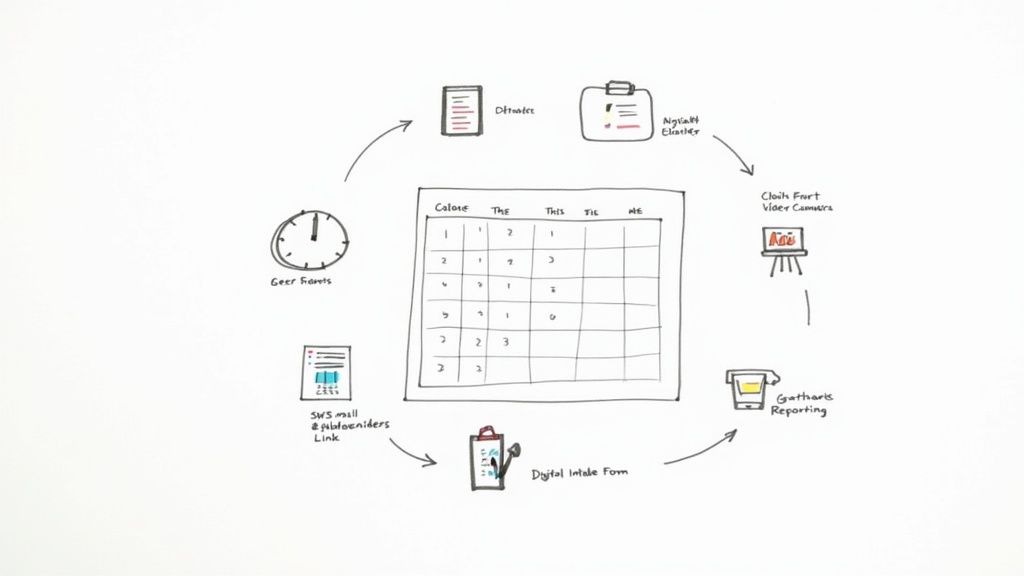
Above is a unified calendar view highlighting booked and available slots. This snapshot helps teams catch conflicts and tweak schedules instantly.
Benefits Of Two-Way Booking
Two-way booking hands control back to patients. They can confirm, reschedule or cancel appointments with one click—no calls required. Staff see updates immediately, cutting manual scheduling tasks by up to 50%.
- Self-Service Portals let patients view and manage their own appointments 24/7.
- Drag-and-Drop Slots make manual tweaks a breeze for your front desk.
- Confirmation Workflows launch follow-up reminders or intake forms automatically.
Scheduling Rules And Customization
Setting custom booking rules helps match appointment types with the right time slots. For example, new-patient visits might require 30 minutes while quick follow-ups use shorter windows.
You can also build in blackout dates, minimum notice periods and buffer times around each visit. Conditional workflows trigger specific intake forms only when needed—for example, a consent form for a minor procedure.
Fine-tuning these rules drives accuracy. Many small practices report a 15% rise in on-point bookings after optimizing their settings. Custom form fields ensure each department captures exactly the data they need.
Key Telehealth And Integration Features
With one click, the scheduler spawns a secure telehealth link for virtual visits. Clinics that auto-generate these URLs often see a 25% jump in video appointments.
Deep integrations with EHR/EMR systems, CRMs, calendars and messaging platforms keep data synchronized everywhere. A single booking can update patient records and send staff alerts, cutting duplicate entries by hours each week.
- Sync calendars to auto-block slots in your EHR system.
- Map intake fields directly to patient profiles.
- Test reminder templates before going live.
- Enable telehealth link settings for each provider.
Reporting dashboards turn metrics like fill rates, no-show trends and average wait times into clear visuals. Managers use these charts to identify bottlenecks and tweak schedules.
“Dashboards turn complex logs into simple charts you can act on.”
Below is a quick overview comparing key features, what they do and the benefits they deliver:
Comparison of Core Software Features
| Feature | Description | Key Benefit |
|---|---|---|
| Calendar Sync | Real-time availability updates | Eliminates double-bookings |
| Automated Reminders | SMS and email alerts before appointments | Cuts no-shows by up to 30% |
| Two-Way Booking | Patient-driven confirmations and reschedules | Reduces manual scheduling tasks by 50% |
| Telehealth Links | Auto-generated secure video URLs | Increases virtual visit adoption by 25% |
| Digital Intake Forms | Pre-visit data collection | Frees front-desk from paperwork |
| Reporting Dashboard | Visual analytics on booking performance | Drives data-informed scheduling |
For practices seeking custom workflows, CallCow offers AI-driven voice booking and around-the-clock handling. Learn how to set up tailored appointment flows in minutes with our guide on schedule customization.
Real clinics illustrate these gains. A busy pediatric office filled early-morning slots faster and boosted overall fill rates by 20%. A telehealth-focused practice combined reminders and intake forms to cut pre-visit paperwork time by 40%, lifting patient satisfaction scores.
Tips To Maximize Your Scheduling Software
- Adjust reminder frequency by appointment type.
- Segment patients based on communication preferences.
- Review dashboard trends weekly to spot open slots or bottlenecks.
- Refine self-service portal options as patient needs evolve.
With integrated calendars, automated reminders, flexible booking rules and data-driven insights, appointment scheduling software relieves administrative burdens. Teams can then concentrate on what matters most—delivering great care.
Integration And Compliance Requirements
Getting your scheduling software up and running requires more than clicking “install.” It starts with a plan that covers security and meets healthcare rules. You want to protect sensitive data and earn patients’ trust from day one.
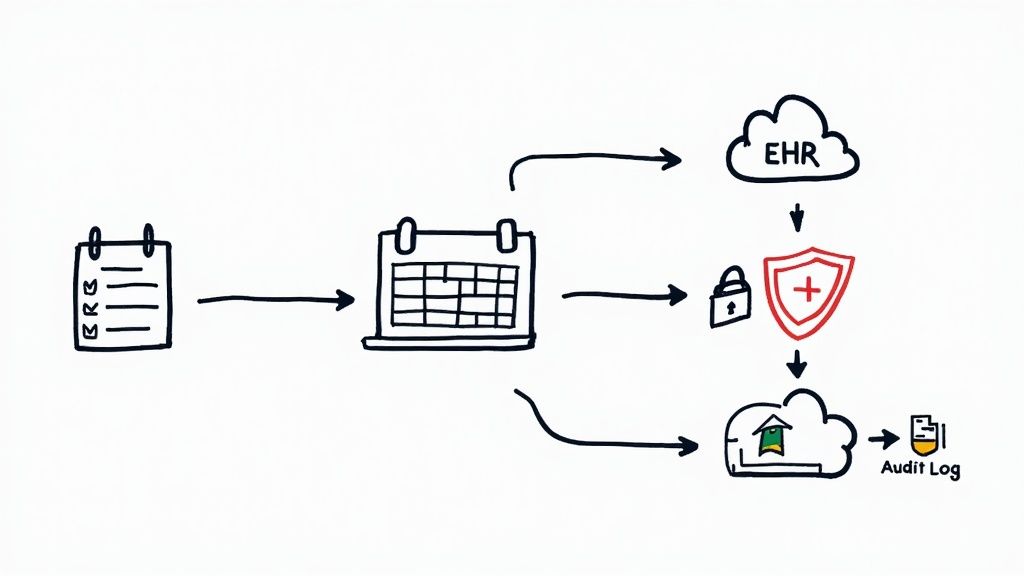
HIPAA Compliance Essentials
Handling health information without fail means building in these safeguards:
- End-to-End Encryption scrambles data both in motion and at rest.
- Multi-Factor Authentication adds another barrier at login.
- Audit Logging creates a timestamped trail of every access or change.
“A clear audit trail cuts the risk of breaches and makes compliance checks a breeze.”
Common System Integrations
No system should stand alone. Here’s what you’ll often link up:
- Sync with EHR/EMR to keep charts current.
- Connect your CRM so follow-ups never slip.
- Tie into calendar apps to avoid double-booking.
- Hook up messaging APIs for SMS or email reminders.
| Integration Type | Purpose | Key Benefit |
|---|---|---|
| EHR/EMR Sync | Patient chart updates | Saves hours of manual data entry |
| CRM Link | Centralize client communications | Boosts outreach efficiency |
| Calendar Apps | Real-time slot availability | Prevents scheduling conflicts |
| Messaging APIs | Automated reminders and alerts | Cuts no-show rates significantly |
For instance, a smooth record sync can reclaim 5+ hours of admin work every week. In 2023, North America held 39.6% of the global medical scheduling software market, thanks to cloud solutions that plug into EHRs and shore up compliance. For more background, check out this market analysis.
Vendor Evaluation Checklist
Picking the right software partner takes a bit of homework. Make sure to:
- Review HIPAA Business Associate Agreements and encryption certificates.
- Test how data flows from login to logout.
- Run real-world cases with your EHR or CRM.
- Examine audit logs and retention rules.
- Verify secure messaging and notification support.
Completing these steps will help you dodge red flags before you go live.
Integration Best Practices
A controlled test zone saves headaches later. Start with a sandbox setup that mirrors your actual environment. Then:
- Use API keys scoped to each test case.
- Map each field between systems and note them in a shared doc.
- Audit API calls daily to catch silent failures.
- Validate data formats before full-scale syncs.
- Run integration checks during off-peak hours.
- Automate health checks so you spot downtimes fast.
“Catching mismatches in a sandbox stops disruptions and keeps patient data safe.”
After a smooth test, roll out to one department and gather feedback on form layouts, reminder timing, and calendar views. Tweak as you go, then broaden the sync across all providers. Track metrics like sync latency and error rates to stay ahead of issues.
| Environment | Purpose | Key Action |
|---|---|---|
| Sandbox | Test integrations safely | Simulate real patient data |
| Staging | Validate workflows end to end | Approve mappings and rules |
| Production | Live operations | Monitor alerts and logs |
Clear docs and constant monitoring keep your scheduling system both secure and dependable.
Integration Case Study
A midsize clinic I worked with started in a sandbox. They mapped ten essential fields between their EHR and the new scheduler. Two weeks later, a pilot program with three doctors cut data entry errors by 35% and freed up 2 hours per provider for patient care.
Learn more about deploying secure appointment solutions in our guide on HIPAA compliant chatbots.
Real World Use Cases For Scheduling Software
Reading about features is one thing. Seeing them in action makes everything click.
Below are three brief case studies where scheduling software moved the needle in clinics, law firms and real estate.
The AI-powered patient appointment scheduling software market jumped to USD 63.04 million in 2024 and is on track to hit USD 555.09 million by 2033. Clinics leaning on self-service booking and predictive tools report up to 40% fewer administrative hassles. Learn more about this growth projection on Grand View Research.
Clinic Scenario
At a tight-knit family practice, staff often juggled reminder calls and manual rescheduling. After adding online booking and automated alerts, no-shows fell by 35%. Team members reclaimed hours to focus on patients.
- Predictive Slot Optimization created extra openings before peak flu season.
- Automated SMS Alerts slashed follow-up calls in half.
- Patient Portal Dashboards offered clear, real-time views of available appointments.
Legal Firm Scenario
A boutique law office struggled with back-to-back phone tag just to confirm consults. Two-way booking freed paralegals to dive into casework instead of phone queues.
“Automating client intake saved us 20 hours monthly and improved responsiveness.”
- Front-desk workload dropped by 60%.
- Automated reminders ensure every lead gets timely follow-up.
Real Estate Scenario
An urban agency needed a way to capture leads even after hours. By plugging in a 24/7 self-service scheduler and AI voice assistant, they doubled down on convenience—and saw a 45% boost in viewing requests.
- AI voice agent handles calls, books tours and logs prospect details automatically.
- Calendar sync pushes every booking to Google Calendar and CRM.
- Automated confirmation calls lift show-up rates dramatically.
Clinics and other professionals can adapt these proven workflows to their own needs. For more on clinic workflows, Check out clinic scheduling use cases.
Performance Metrics
- Clinic no-shows dropped 35%, freeing roughly 100 staff hours monthly.
- Law firm recaptured 20 hours every month, translating to billable time.
- Real estate tours rose by 45%, ramping up showings without new hires.
Adapting Use Cases
Start by mapping your current bottlenecks—manual reminders, limited slots, phone tag. Then:
- Audit existing booking tasks and record time spent.
- Prioritize features like AI voice agents or patient portals.
- Train a small team, gather feedback and tweak settings.
- Track metrics such as no-show rates and fill rates to measure impact.
Extending To Other Industries
These stories aren’t confined to healthcare, law or real estate. Any team scheduling appointments can benefit:
- A spa uses automated confirmations to reduce cancellations by 25%.
- Travel agencies, consultants and startups thrive on round-the-clock booking.
Implementation Steps And Best Practices
<iframe width="100%" style="aspect-ratio: 16 / 9;" src="https://www.youtube.com/embed/F1deN97DgjM" frameborder="0" allow="autoplay; encrypted-media" allowfullscreen></iframe>Rolling out patient appointment scheduling software can feel like juggling too many balls at once. But when you follow a clear roadmap, each step builds confidence and momentum.
First, get a handle on your clinic’s unique needs. List features by importance, factoring in appointment volume, patient demographics and current workflows.
- Conduct stakeholder interviews to capture pain points and wish lists.
- Map current booking processes to visualize bottlenecks and redundancy.
- Prioritize features such as calendar sync, automated reminders and telehealth links.
Use a vendor checklist to weigh HIPAA compliance, integration scope and support levels. This keeps your selection laser-focused on long-term goals.
Build Your Implementation Team
Pull together a cross-functional group—IT, front desk, clinical staff and administration. Assign roles like project manager, data lead and training coordinator so everyone knows their lane.
“Clear ownership of tasks speeds up deployment and reduces confusion.”
Keep everyone in sync with weekly stand-up meetings and a shared project board. This team steers you from data migration to go-live and beyond.
Data Migration Planning
Moving years of appointment records can feel risky, but a solid plan turns chaos into order. Start by cleansing duplicate entries and validating critical fields.
Establish a data map to translate information from old systems into your new platform. Then:
- Use secure APIs or CSV exports to transfer data.
- Test sample records before full migration to catch format issues.
- Schedule migrations during off-peak hours to minimize disruption.
A thoughtful migration saves time and prevents scheduling hiccups down the line.
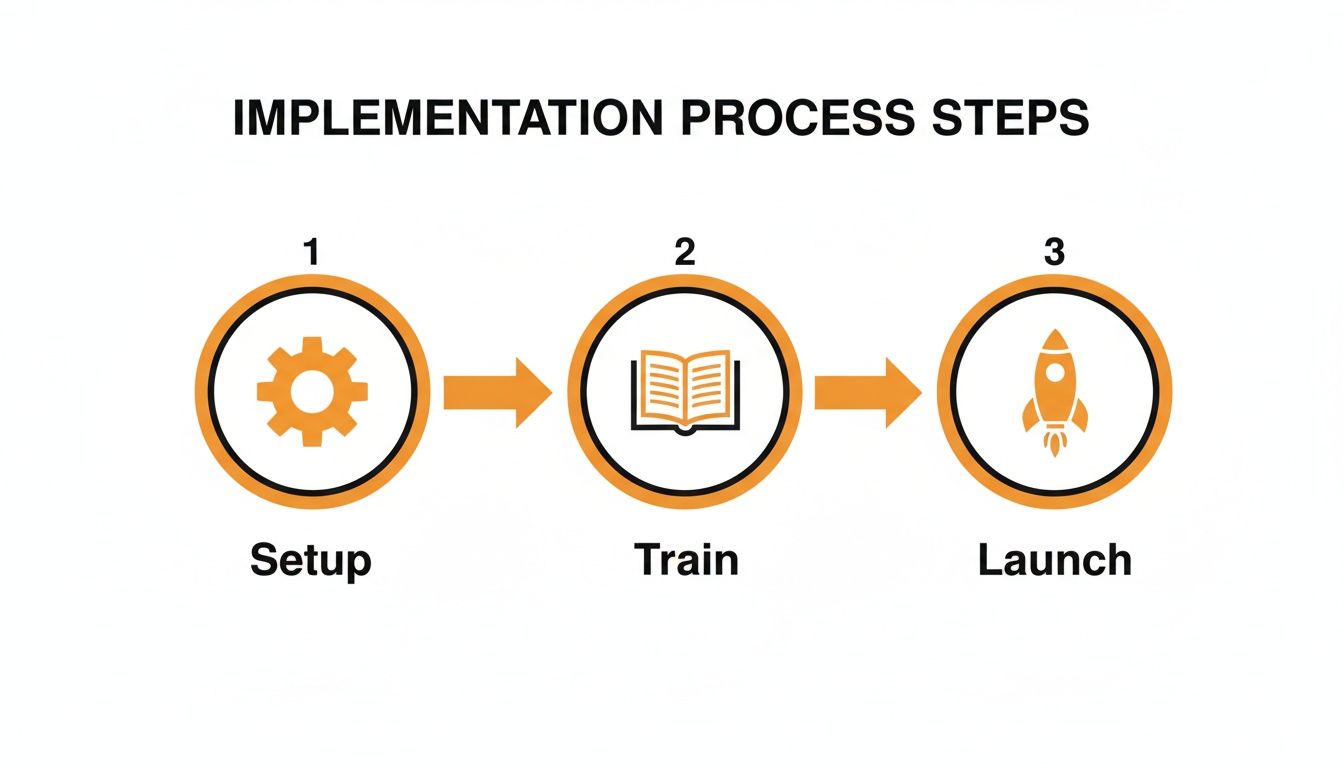
The visualization highlights setup, training and launch as the critical milestones. Preparation in the setup phase cuts troubleshooting needs by 40%.
Staff Training Workshops
Hands-on workshops bring real booking scenarios into the training room. Quick-start guides and cheat sheets make daily tasks feel second nature.
Encourage role-playing patient interactions and error recovery.
“Hands on training reduces user errors by 50% within the first month.”
Record short video tutorials for staff to revisit on demand. Appoint super users who can field questions and troubleshoot in real time.
Pilot Testing Procedures
Roll out a pilot with a focused group—perhaps one department or three providers. Collect feedback on workflow snags, form layouts and reminder timings.
- Adjust slot lengths and booking rules based on real staff input.
- Tweak automated messages for clarity and tone.
- Document every change and update your project board.
Pilot metrics guide final tweaks before your full launch.
Launch And Monitor
Announce your launch to patients via email campaigns, SMS alerts and in-office signage. Publish clear instructions on your website and social channels.
Showcase new self-service features like two-way booking portals.
“Transparent patient communication boosts adoption rates by 30%.”
Keep an eye on no-show rates, fill rates and average booking time. Review dashboards weekly and share insights with your team.
Ongoing Optimization
Set regular review cycles to refine workflows and tackle new pain points. Compare pre- and post-implementation metrics to prove your ROI.
Common metrics include no-show reduction, staff hours saved and patient satisfaction scores:
- Track percentage drop in no-shows month over month.
- Calculate time saved on reminders and manual scheduling.
- Gather staff feedback on workflow efficiency and ease of use.
Use these insights to plan future enhancements and deeper integrations.
Best Practices To Remember
Keep processes simple and document each tweak. Engage patients early by highlighting self-scheduling benefits. Stay iterative—small improvements add up over time.
“Continuous improvement transforms initial success into lasting gains.”
Leverage CallCow AI voice booking for 24/7 call handling and calendar integration. Connect your CRM and email systems to automate follow-ups and confirmations.
Document FAQs from your pilot phase to speed up user support. Provide a quick reference sheet so patients can manage bookings on their own.
- Survey patients to gauge satisfaction and ease of use.
- Schedule quarterly training refreshers to introduce new features.
- Stay alert to vendor updates and plan upgrades accordingly.
By following this roadmap, clinics can cut no-shows by 25-40% within six months. Regular check-ins and team feedback keep the system aligned with evolving needs.
Remember, deploying patient appointment scheduling software is a journey, not a one-time event. With CallCow’s AI voice agent and rich integrations, every call becomes an opportunity to book and confirm appointments seamlessly.
Start your implementation journey today with confidence.
Frequently Asked Questions
Below, you’ll find practical answers to the most common questions about patient-focused appointment scheduling software. These insights will help your team get up and running without a hitch.
What Is Patient Appointment Scheduling Software And Why Does It Matter?
Think of it as a digital front desk that never sleeps. It handles bookings, updates your calendar in real time, and sends reminders so you can spend more time with patients and less time on the phone.
- Real-time slot visibility ensures your availability is always accurate.
- Automated SMS and email reminders cut no-shows by up to 30%.
- Two-way booking gives patients the power to confirm or reschedule instantly.
How EHR Integration Works
When appointment data flows automatically between your scheduler and EHR, staff stop entering the same information twice. Secure APIs or HL7 interfaces handle the transfer in seconds, keeping everyone on the same page.
“Seamless EHR integration can save over 5 hours per week.”
Maintaining HIPAA Compliance
Keeping patient data safe isn’t optional. Look for a vendor that offers:
- Encryption at rest and in transit to block unauthorized access.
- Role-based permissions so each team member sees only what they need.
- Audit logs and a signed Business Associate Agreement for full transparency.
Expected ROI And Benefits
Within six months, most clinics report:
- A 25–40% drop in no-show rates
- A 30% cut in administrative effort
- Noticeable bumps in patient satisfaction
These changes usually pay for the software in under a year. Track metrics like appointment fill rate and staff hours saved to measure your success.
Schedule smarter with CallCow at https://callcow.ai